Blockchain Explorer
If you have ever sent a cryptocurrency payment, you may know the brief anxiety that comes after you click “send.”
You click “send.”
Then you feel a moment of worry. The funds leave your wallet, but they haven’t yet appeared in the recipient’s account.
Did the transfer go through? Did you send it to the right address? Is the network just slow today?
Fortunately, the blockchain is a public and highly transparent ledger. You do not need to guess where your digital assets are; you just need to know how to look for them. In this comprehensive guide, we will explore What Is a Blockchain Explorer? How to Check Crypto Transactions, empowering you to monitor your funds with complete confidence.

What Is a Blockchain Explorer?
If you are new to the world of cryptocurrency, one of your first questions will naturally be: what is a blockchain explorer?
In simple terms, a blockchain explorer is a search engine for a specific blockchain network. Just as you use Google to search the internet for websites, images, and data.
You use a blockchain explorer to search a digital ledger. You can find transactions, wallet addresses, and network metrics.
Every major cryptocurrency has its own dedicated explorer—or several of them. For instance, Bitcoin has mempool.space and Blockchain.com, while Ethereum relies heavily on Etherscan.
These platforms pull raw data from blockchain nodes and organize it into a user-friendly, easy-to-read format. Whether you want to see one payment or check the network’s current activity, the explorer gives you a clear view of the system.
The Anatomy of a Blockchain Explorer: Key Concepts
Before jumping into tracking your specific payments, it helps to understand the terminology you will encounter on these platforms.
Transaction Hash (TXID)
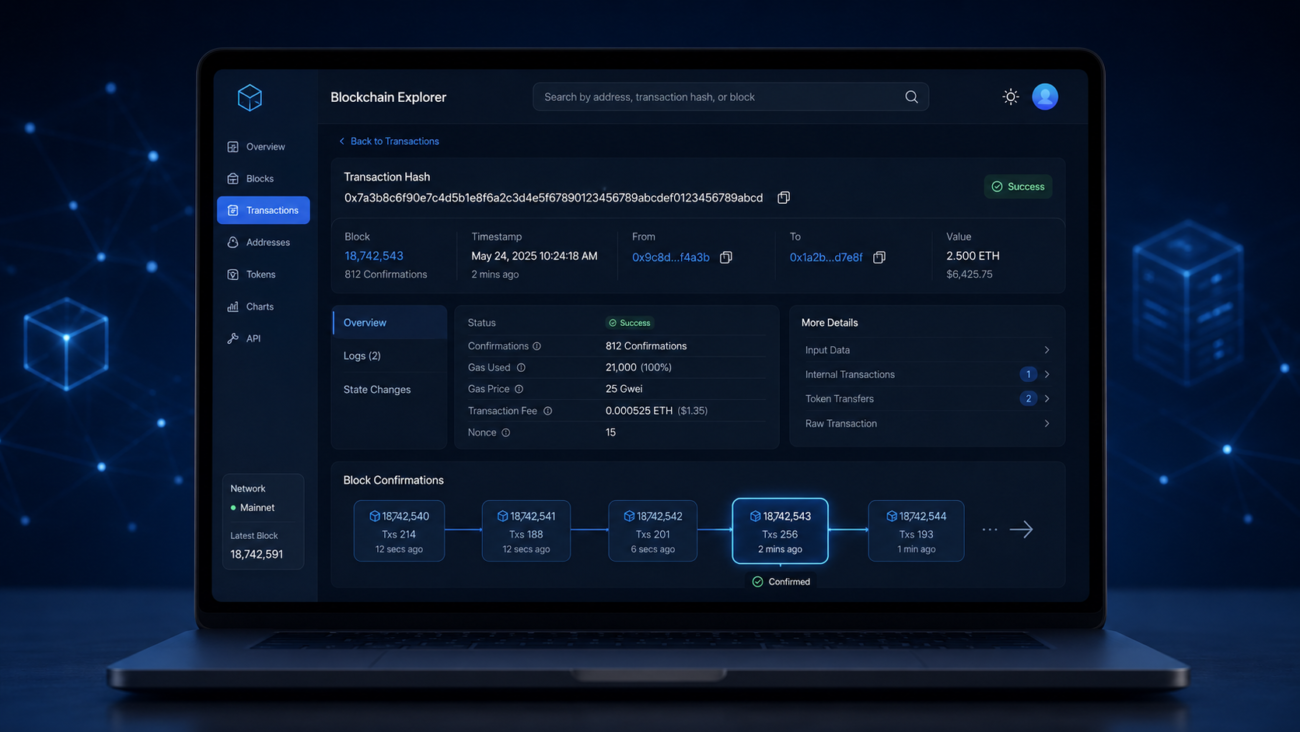
Every time a transaction is initiated on a blockchain, it generates a unique cryptographic string of characters. Having the blockchain transaction hash explained is simple: think of it as your digital receipt number. It is the most vital piece of information you need to locate your specific transfer among millions of others.
Block Height and Confirmations
When learning about blockchain mechanics, understanding block height and confirmations is crucial. “Block height” refers to the specific number of a block within the chain, counting up sequentially from the very first block (the Genesis Block). “Confirmations” refer to the number of blocks that the chain has added after the block that contains your transaction. The more confirmations a transaction has, the more secure and irreversible it becomes.
The Mempool
If your transaction hasn’t been added to a block yet, it sits in the mempool (memory pool). This is essentially a waiting room for unconfirmed transactions. Miners pick transactions from the mempool to build the next block, usually prioritizing those with the highest attached fees.

Step-by-Step: How to Track Crypto Transaction Status
Now that you know the basics, let’s get practical. Here is the exact process of how to track crypto transaction status safely and efficiently.
Step 1: Locate Your Transaction ID
To start your search, you need your unique identifier. But how to find transaction id in crypto wallet applications?
Generally, open your wallet app, like MetaMask, Trust Wallet, or Ledger Live.
Go to the “Activity” or “History” tab.
Click the most recent transfer. You will see a long string of letters and numbers labeled “Transaction ID,” “TXID,” or “Hash.” Copy this string to your clipboard.
Step 2: Choose the Right Explorer
Make sure you are using the correct explorer for the network you used. If you sent Bitcoin, use a Bitcoin explorer. If you sent Litecoin, you will need an ltc blockchain explorer like Litecoin Block Explorer.
Actionable Tip: If you use multiple networks often, try a top multi–chain blockchain explorer.
Examples include Blockchair and Tokenview. These platforms allow you to paste a TXID or wallet address from almost any major chain into a universal search bar.
Step 3: Search and Verify
Paste your TXID into the search bar of the blockchain explorer and press enter. The resulting page will allow you to verify crypto payment confirmation status.
You will typically see one of three statuses:
- Unconfirmed/Pending: The transaction is currently in the mempool waiting to be picked up by a miner.
- Success/Confirmed: The transaction has been permanently recorded on the blockchain.
- Failed/Dropped: The transaction did not go through (often due to insufficient gas fees or network errors).
Step 4: Diagnose Delays
If you find yourself frantically Googling, “why is my bitcoin transaction taking so long?” the explorer holds the answer. By interpreting mempool data and network fees directly on the explorer’s dashboard, you can see the current network congestion. If the network is very busy and your fee is below the current average, miners may leave your transaction in the mempool. They will process it after higher-fee transactions clear.

Advanced Uses: Moving Beyond Basic Tracking
A blockchain explorer is not just for tracking delayed payments. Because blockchains are radically transparent, these tools offer advanced functionalities for analysts, developers, and everyday users.
Checking Balances and Auditing
You don’t need to log into a crypto wallet to see how much money it holds. You can check a wallet balance on public ledger explorers. Just paste the public wallet address into the search bar.
This feature makes it easy to audit crypto address transaction history for businesses, charities, or individuals. It helps them prove reserves or show clear, transparent financial histories.
Tracing Network Funds
Security professionals and blockchain sleuths spend a lot of time tracing funds on a decentralized network. If a decentralized finance (DeFi) protocol is hacked, experts use blockchain explorers to track stolen funds step by step.
They can see which wallets received the funds. They can also see how the funds were split. They can check if the funds went to a centralized exchange to cash out.
Whale Watching
In the crypto space, “whales” are individuals or entities that hold massive amounts of cryptocurrency. Because their trades can significantly impact market prices, many traders use explorers to track large whale wallet movements. If an explorer shows a whale moving thousands of Bitcoin from cold storage to an exchange, it may signal a sell-off. Savvy traders can then prepare.

Mastering Etherscan and Smart Contract Networks
While Bitcoin explorers are generally straightforward, navigating smart contract platforms like Ethereum requires a bit more knowledge. Learning how to use etherscan for beginners is a vital skill for anyone venturing into DeFi or NFTs.
Internal vs. External Transactions
When you view an Ethereum address on Etherscan, you will notice different tabs for transactions. Understanding the difference between internal and external transactions is key here.
- External Transactions: These are standard, user-initiated transactions, such as sending ETH from your wallet to a friend’s wallet.
- Internal Transactions: These occur as a result of executing a smart contract. For example, if you use a decentralized exchange to swap tokens, the contract will move them automatically.
- This movement will appear as an internal transaction.
Verifying Smart Contracts
Etherscan is also a key hub for developers and security auditors. It lets them read the code of decentralized applications.
Viewing smart contract source code is a built-in feature for verified contracts on Etherscan. This transparency lets users check the rules of a DeFi protocol or NFT drop before using it. It helps protect them from scams or harmful code.
